Codex cloud after DevDay 2026: environments, the new CLI and code review
Codex cloud runs an agent's tasks in a ready environment with your repositories, dependencies and tools. Work continues while your laptop is closed. At DevDay 2026 OpenAI also showed a refreshed Codex CLI, a new code review and Codex Security Cloud. Here is what changes, and what a team must set up before it lets an agent work unattended.
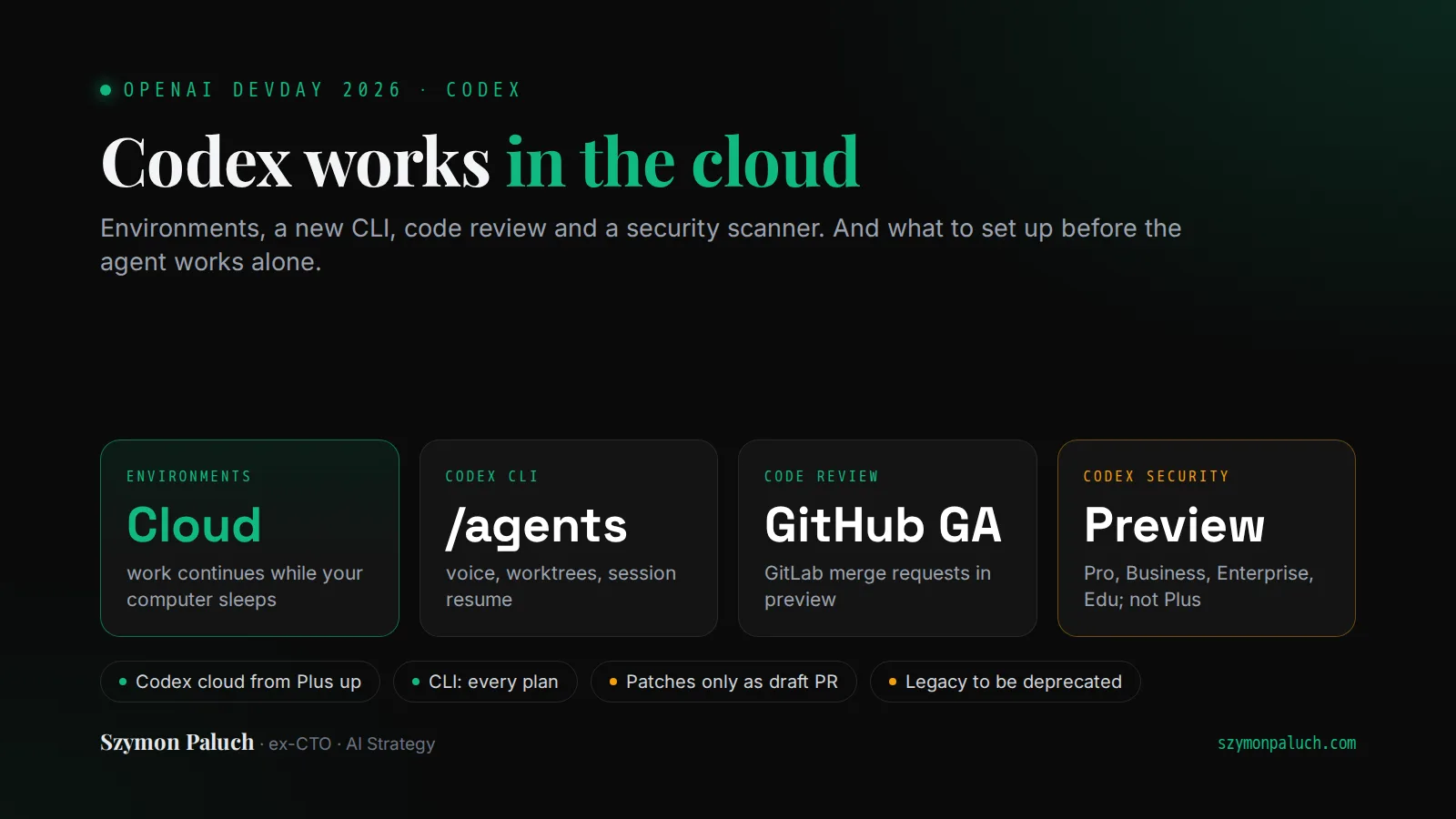
At DevDay 2026 Codex got four announcements: cloud work, a refreshed CLI, a new code review and the Codex Security Cloud scanner. I have not tested them yet. I do know the problem they are meant to solve. I hand part of my repository work to coding agents every day, and I know where that breaks.
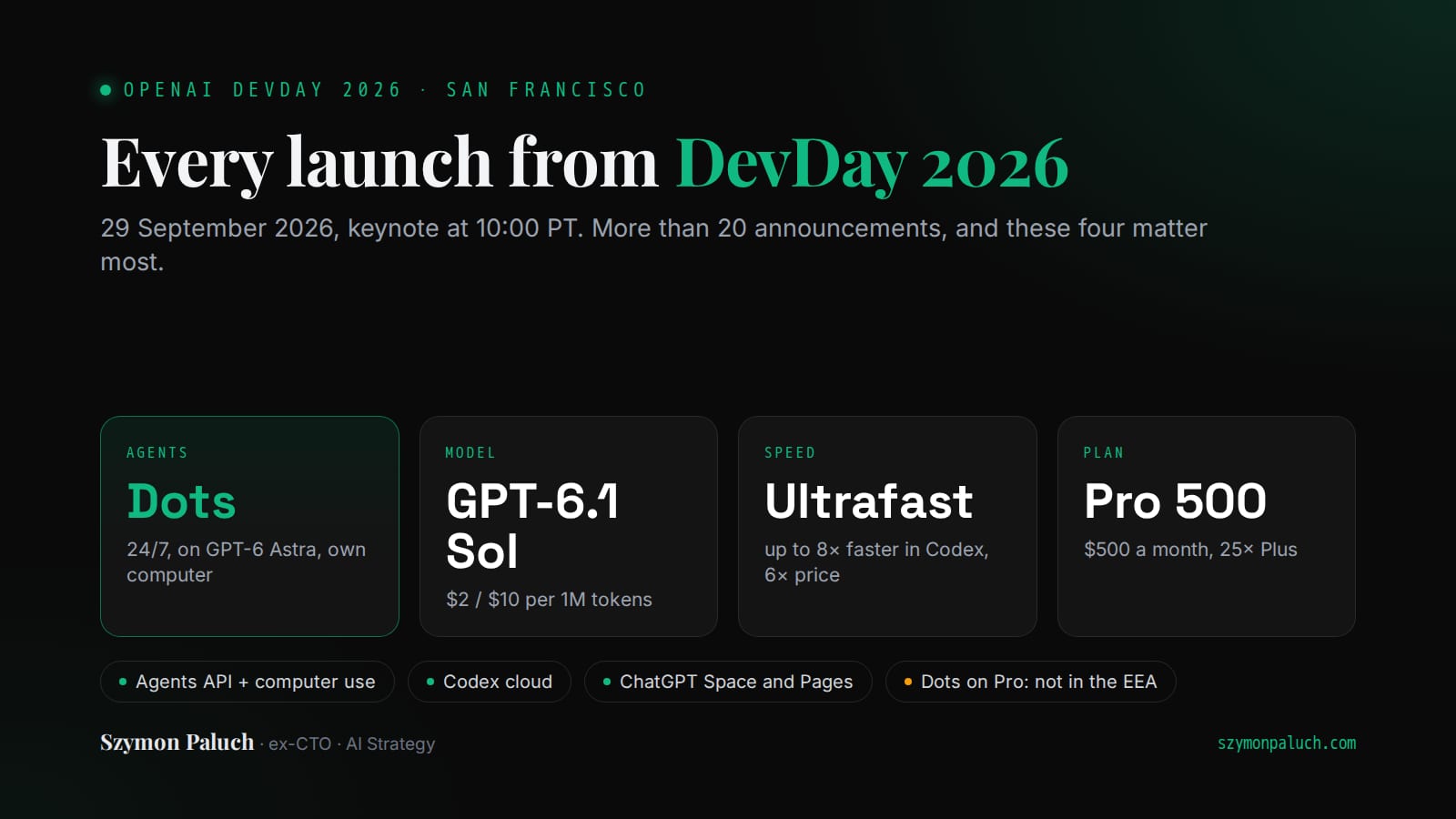
This post covers Codex only. The rest is in a walkthrough of the whole of DevDay 2026, from the new models to the Dots agents.
What is Codex cloud?
Codex cloud works away from your computer. You start with a cloud environment. OpenAI describes it as a reusable setup: repositories, dependencies, tools and access settings. Codex inspects the repositories, prepares the setup and tests it with you. Then you publish the environment. Each new task gets its own isolated workspace from it.
You start work from the desktop app, the web or your phone. According to the docs, Codex keeps working while your computer is asleep. In the terminal, codex cloud submits work to a configured environment and applies the result to your local repository.
OpenAI also promises teams a shared setup with approved settings and permissions. For me that is the biggest change. In many teams, everyone runs an agent locally and decides alone what it can reach. A shared environment moves those decisions to one place. Someone still has to make them.
Codex cloud is available on Plus, Pro, Business, Healthcare, Education and Enterprise. Free and Go do not get it. The older version, Codex Cloud (Legacy), still supports code review and the Linear and GitHub integrations. OpenAI plans to deprecate it.
Developers who build their own products get the same engine. It has been an API in public beta since 10 September, and DevDay added computer use. I wrote about how the Agents API hands the Codex harness to your application.
What's new in the Codex CLI?
In the terminal, OpenAI showed voice, the /agents view and everyday fixes. Your voice starts and steers a task. /agents opens the agent command center, where you delegate work and track several tasks at once. You can also edit an earlier prompt, resume a session and work in git worktrees. The new CLI is on all plans.
Most of this shipped before the conference. Voice conversations landed in the repository on 7 September. Version 0.156.0, on 22 September, turned voice on by default behind an F8 toggle. It also added status filters and worktree sessions to the command center, and fixed resume and prompt editing. The official command list does not show /agents yet.
Worktrees change the most, in my view. A git worktree is a separate working directory for another branch of the same repository. Two agents in one directory can overwrite each other's files. In separate worktrees each has its own branch, and you merge the results like ordinary pull requests. Voice is a convenience. It will not change how much agent work you can review in a day, which is usually what limits a team.
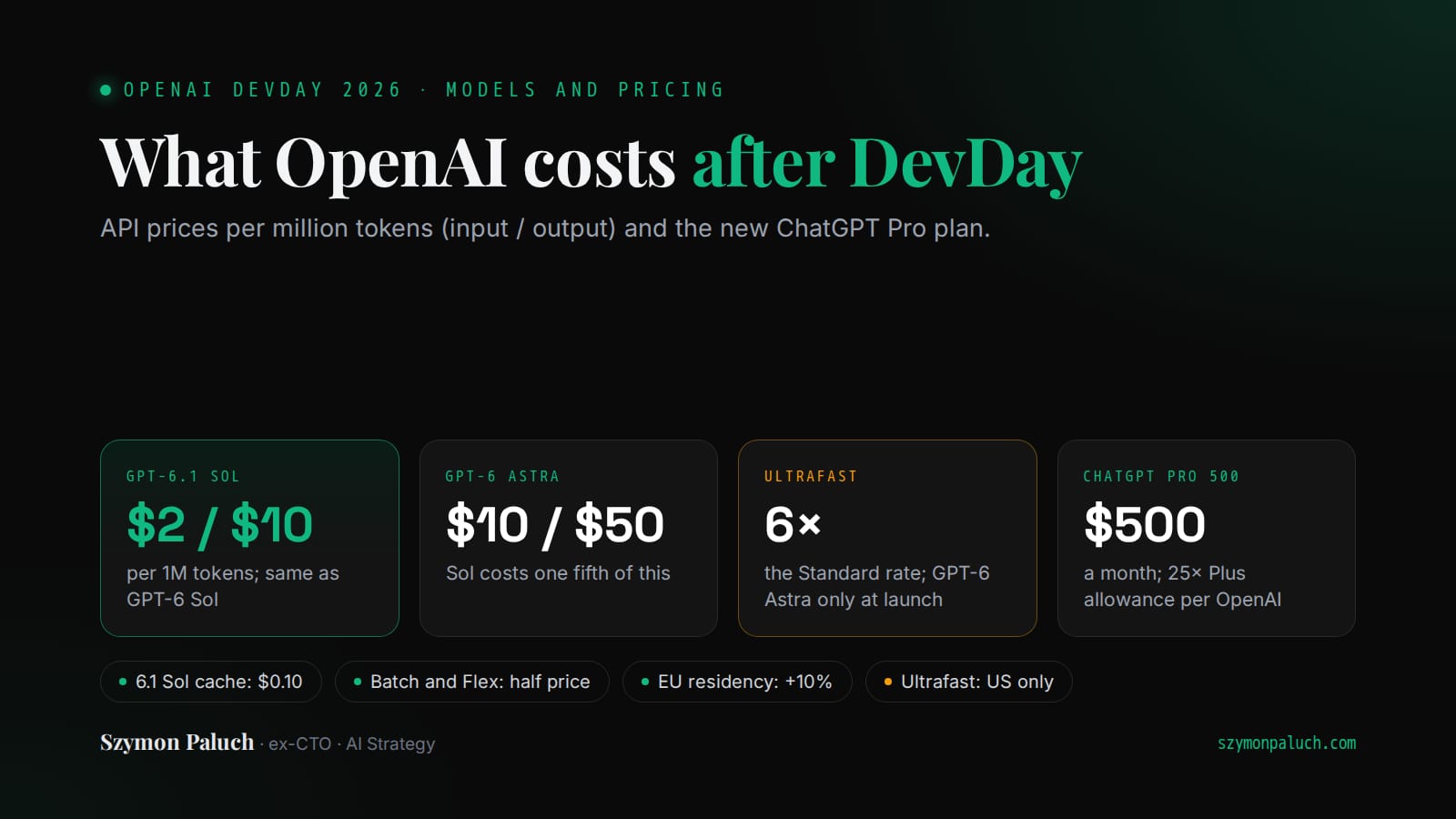
Version 0.159.1, released on DevDay, also made GPT-6.1 Sol the CLI's default model. Ultrafast for it is coming later. For now, Ultrafast in Codex runs with GPT-6 Astra, on Pro 500 and on eligible Enterprise and Edu plans. It generates tokens up to 8x faster. It also burns through plan limits 8x faster.
OpenAI notes that this measures token generation speed and says nothing about how long a whole task takes. I broke down the rates and modes in a post on GPT-6.1 Sol pricing and the faster Ultrafast tier.
Codex code review: GitHub, GitLab and cloud reviews
The new code review lives in the ChatGPT desktop app. You read a summary, explore the diffs and ask Codex where it sees risk. Then you send your feedback to a GitHub pull request or a GitLab merge request. Every plan has it.
Code review for GitHub is generally available. GitLab merge requests are in preview. One-off and automatic reviews of GitLab merge requests have been in beta since 19 August.
The second addition is automatic cloud reviews. You need the ChatGPT Codex connector, the required repository permissions and automatic reviews switched on. Codex can then review a GitHub pull request before you look at it. Comments appear on GitHub and in Code Review. No cloud environment is needed.
A review in chat publishes nothing on its own. It does not post comments, approve or merge. You choose which findings go further. One catch for teams that pay for Codex with an API key: per the pricing page, that option has no cloud-based features, GitHub code review included.
Designing or deploying agents for clients? In our collective of AI consultants you prepare for AI vendor partner certifications and learn with other consultants. When a suitable client brief arrives, we may invite you to a project.
What is Codex Security Cloud?
Codex Security Cloud is a plugin that scans GitHub repositories in Codex cloud. It scans a whole repository on demand or on a schedule, and can keep checking new commits. Codex investigates findings, removes duplicates and prepares fixes in the cloud, even with your laptop closed.
It works in four steps. It builds a threat model, then scans the code. Next it tries to reproduce likely vulnerabilities in a sandbox to weed out false positives. Finally it proposes a fix, which it does not apply. “Fix with Codex” generates a patch that you review before you create a draft pull request. OpenAI says the tool complements SAST and does not replace it.
Read the status carefully: the docs call it a research preview. It runs on the web and in the desktop app, on Pro, Business, Enterprise and Edu. Plus is not on that list. I also could not find what it costs.
It also includes access to models offered through Daybreak Blue, with no separate Daybreak application. The name is easy to mistake for a model. Daybreak Blue is an access tier in Daybreak, OpenAI's program for approved defenders. It opens general-purpose models such as GPT-5.6 Sol for defensive work like vulnerability discovery or malware analysis. The other tier, Daybreak Red, needs separate approval.
What to set up before an agent works in the cloud unattended?
The cloud unplugs the agent from your laptop. It can work overnight and leave a diff for the morning. Convenient. But nobody makes decisions for you at night, so make these four beforehand.
Permissions and secrets in the environment
Every new task starts from the published environment. So treat it like a service account. Add only the secrets the agent needs to build the project and run the tests. A production database key has no business there. Also decide who may change and publish the environment. Every change to it reaches every later task.
In Claude Code, managed settings play this role. Organization rules go into managed-settings.json, and developers cannot weaken them with their own settings. In the post on my Claude Code badge I described how managed rules work and the deny, ask, allow order. In Codex cloud, a shared environment with approved settings is meant to do the same. Before you trust it, test one allowed and one forbidden operation on a trial task.
What the agent may merge
The defaults are sensible. A review in chat approves and merges nothing, and Codex Security stops at a draft pull request. Do not undo that on your side. Check which repository permissions the connector gets. Protect the main branch so nothing lands there without a human's approval. The agent opens the pull request, a human merges it.
Who reviews the reviewer
Treat the automatic review as a first filter. If Codex wrote the pull request and Codex reviews it, the same vendor sits on both sides. The reviewer may share the author's blind spots. Keep a human on changes to payments, access and personal data. For the first few weeks, record how many of its comments were right. Without that number you do not know how far to trust it.
Tests that catch mistakes
A coding agent judges its own work mostly by the tests. A green run tells it that it is done. If an agent also writes the tests, that signal can be empty. A test can pass even with a condition flipped in the code. Coverage will not show it, because it only measures what ran. On production code I measured this with a mutation score, which shows whether any assertion would break.
Start with one repository that has good tests. Turn on automatic code review there for two weeks. Mark each Codex comment as a hit or a miss. With that list, decide whether the agent gets a cloud environment and overnight work.
The Agentic Architect
Practical patterns, case studies and AI news. Zero spam, once a week.
You'll get one email to confirm. Unsubscribe with one click. Privacy policy
Sources and fact-check date
- OpenAI: DevDay 2026 recap
- Codex docs: Cloud environments
- Codex docs: Code review
- Codex Security docs
- Codex CLI 0.156.0 on GitHub
- Codex pricing
As of 29 September 2026.
Frequently asked questions
What is Codex cloud?
Codex cloud is the mode in which OpenAI's agent works on code away from your computer. It uses an environment with repositories, dependencies, tools and access settings. Each task gets its own isolated workspace. You can start work from the desktop app, the web or your phone.
Does Codex work with the laptop closed?
Yes, if it runs in Codex cloud. According to OpenAI's docs, work continues while your computer is asleep. A session started locally in the CLI needs the computer running. From the terminal, though, you can send work to the cloud with the codex cloud command.
Which ChatGPT plan includes Codex cloud?
According to OpenAI, Codex cloud is available on Plus, Pro, Business, Healthcare, Education and Enterprise. Free and Go do not have it. The refreshed Codex CLI and the new code review are available on all plans.
Does Codex do code review on GitLab?
Yes, in preview. Code review for GitHub pull requests is generally available. GitLab merge request support is in preview. One-off and automatic reviews of GitLab merge requests have been in beta since 19 August.
What is Codex Security?
Codex Security Cloud is a Codex plugin that scans GitHub repositories. It looks for vulnerabilities, tries to reproduce them in a sandbox and proposes fixes. It does not apply patches itself. It is a research preview on Pro, Business, Enterprise and Edu. OpenAI says it complements SAST and does not replace it.